GitHub Copilot helped me write a Java application to process a CSV file. Not a hard task – though one that in Java always feels much harder than in Python or Node. This time round - because of Copilot – all I have to was write two simple instructions (and accept the appropriate suggestion from my pAIred programmer. See the result in this GitHub Repo.

These two instructions were:
- class for loading a csv file and storing data in a list of maps
- print names of columns
Let me show you the steps in more detail.
Get going with Copilot
First I have to get going with Copilot: After installing the VS Code extension for Copilot

and signing up for Copilot (for the free 60 day trial to start with) - as per the instructions I have made my first few steps with Copilot in VS Code to see if it can be a useful AssIstant while programming - a veritable pAIr programmer.
Assemble Java Application to process a CSV Data File
The first trial - create a simple Java application. That is: a Java application for a simple task that requires more cumbersome steps than a comparable Node or Python program. Or at least, it feels that way. Read a CSV file and turn the data into an in memory structure that can easily be processed.
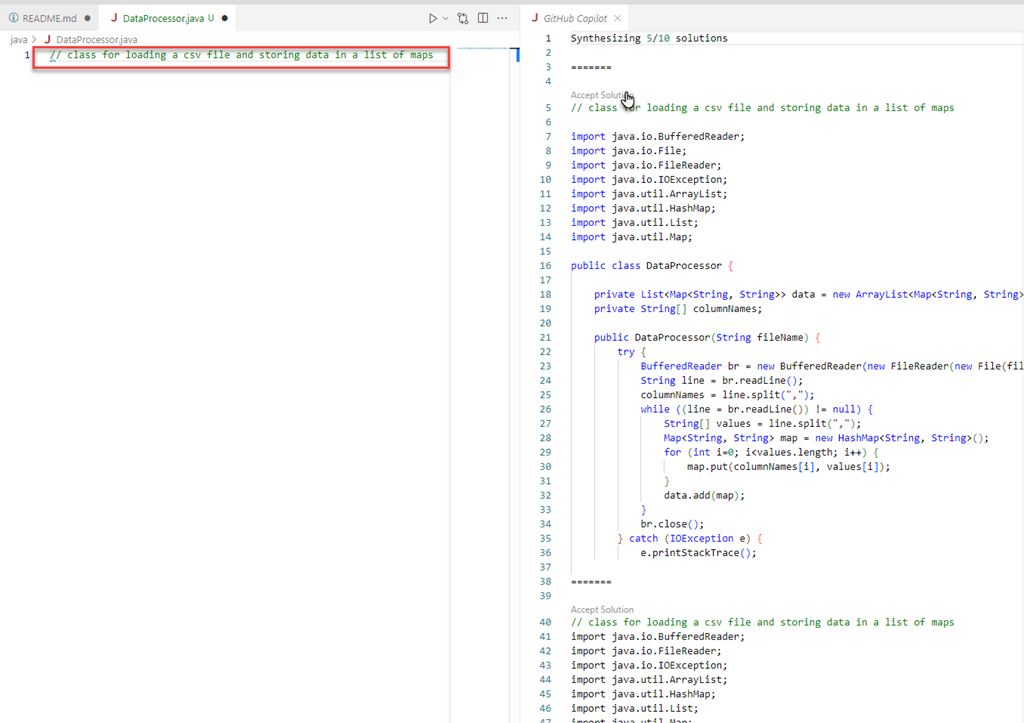
To create the Java class to process the CSV file
- create a file called DataProcessor.java in directory `javapilot`
- type `// class for loading a csv file and storing data in a list of maps`
- press Ctrl+Enter
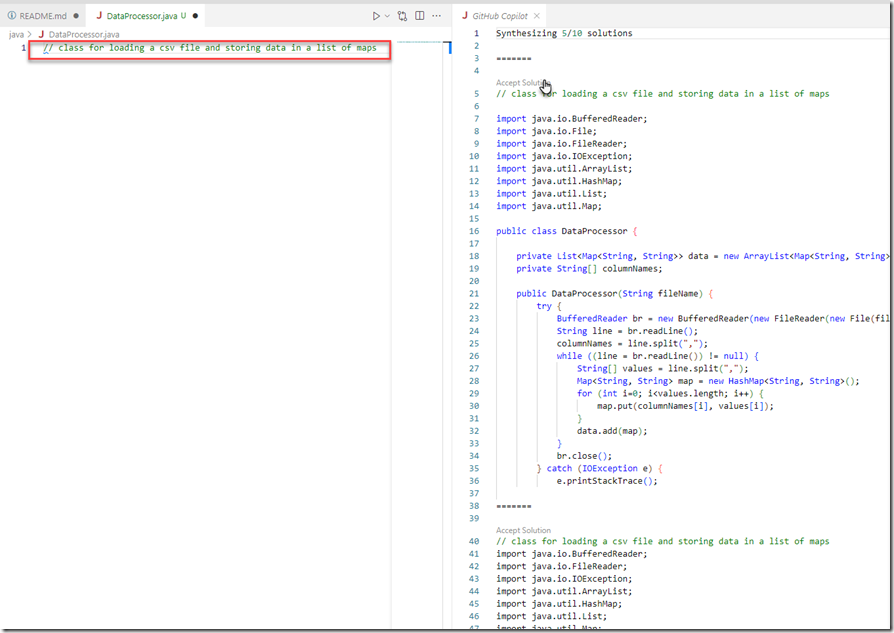
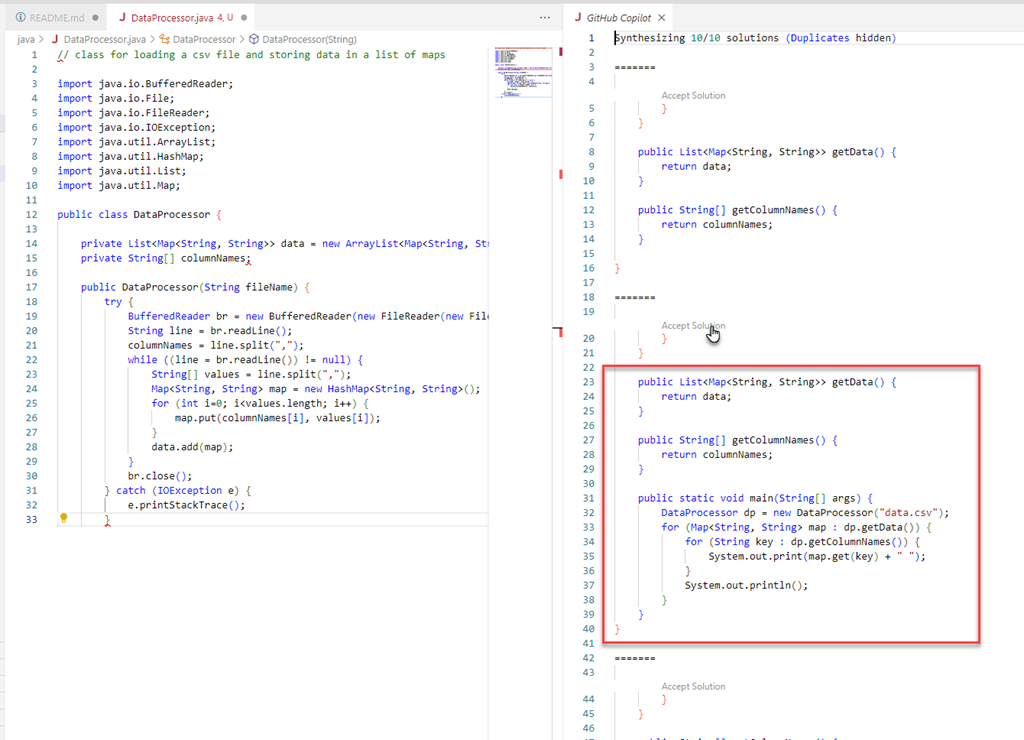
Select the first solution from the list that is presented in the GitHub Copilot tab that is opened. Position the cursor at the end of the pasted code. Press Ctrl+Enter to get suggestions for how to proceed.
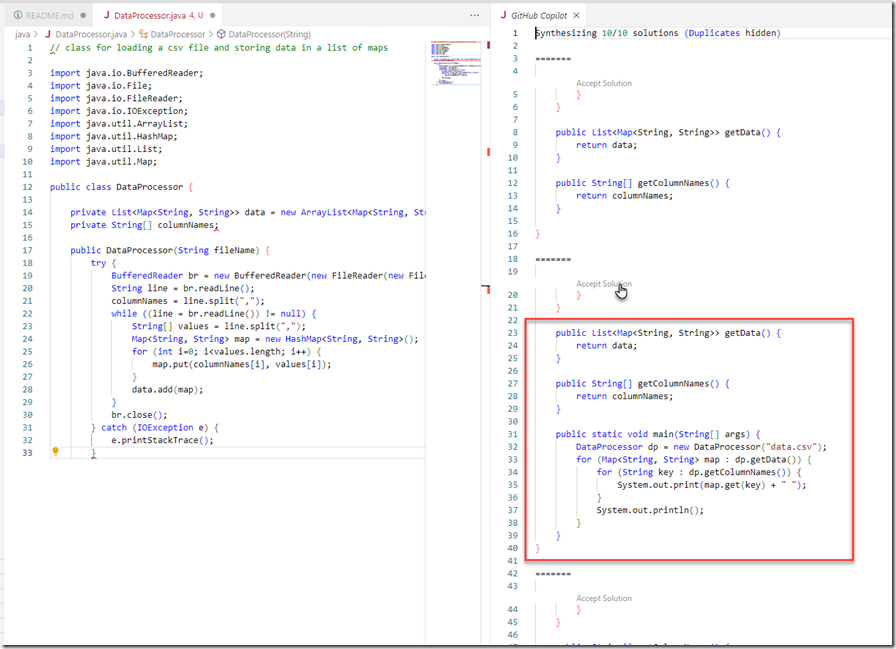
Accept the first proposal - to add methods `getData` and `getColumnNames` and method `main`
Create a sample CSV File with Country Data
To create the CVS file with country data:
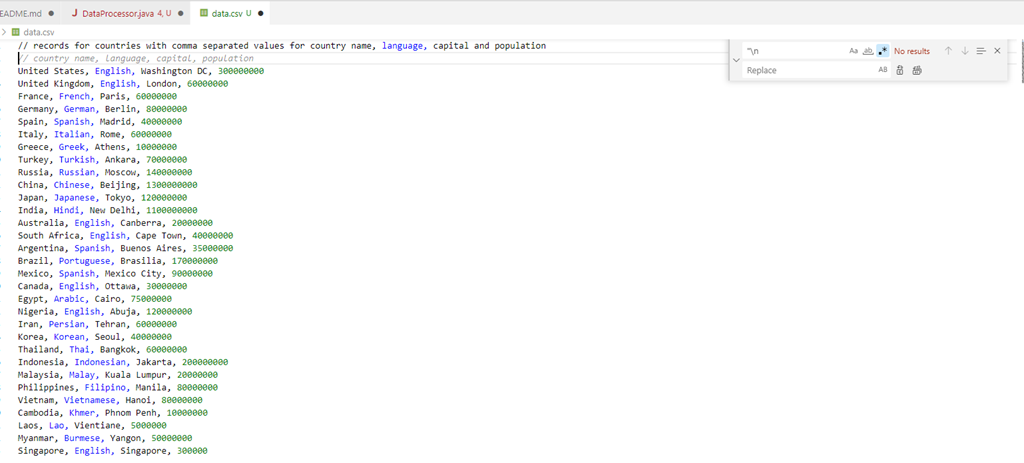
- create a file called data.csv
- type `// records for countries with comma separated values for country name, language, capital and population`
- press Ctrl+Enter
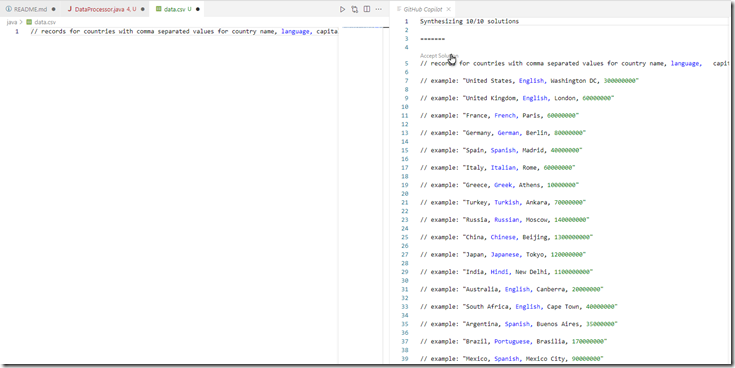
Accept the first solution
Some post processing is required, to remove // Example: " and " + newline
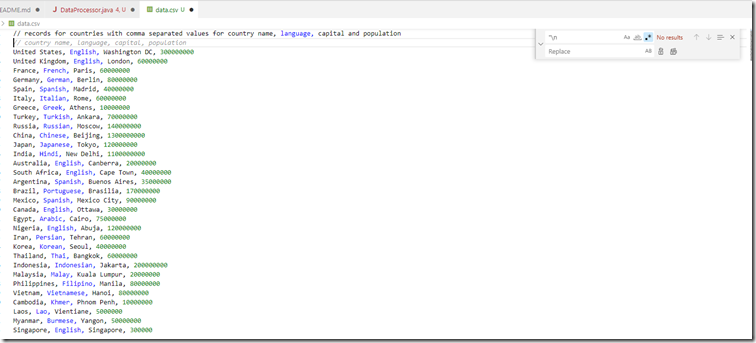
Accept the suggestion from Copilot for the first line with column names. Remove original comment in the first line.
Run the Java class. The output presents the country data from the CSV as processed by the Java application.
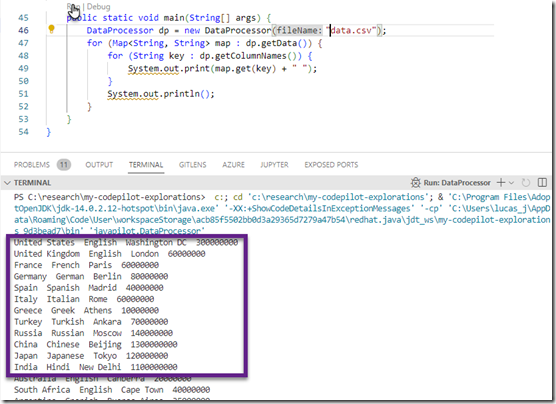
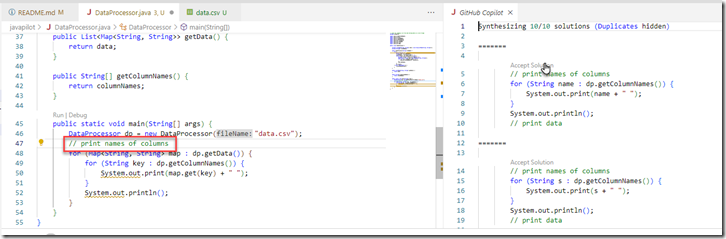
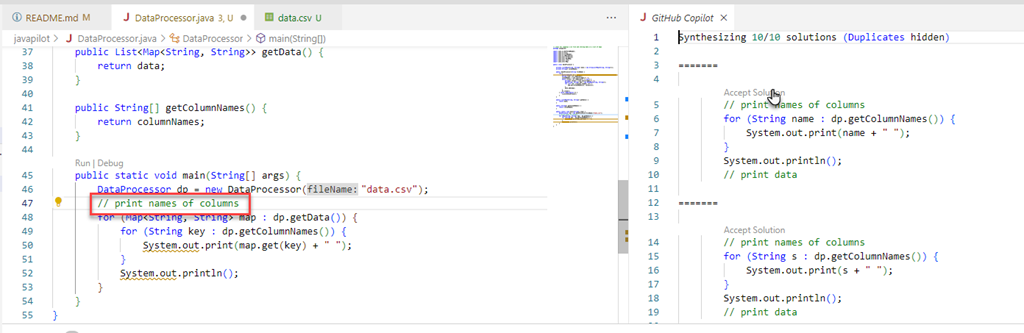
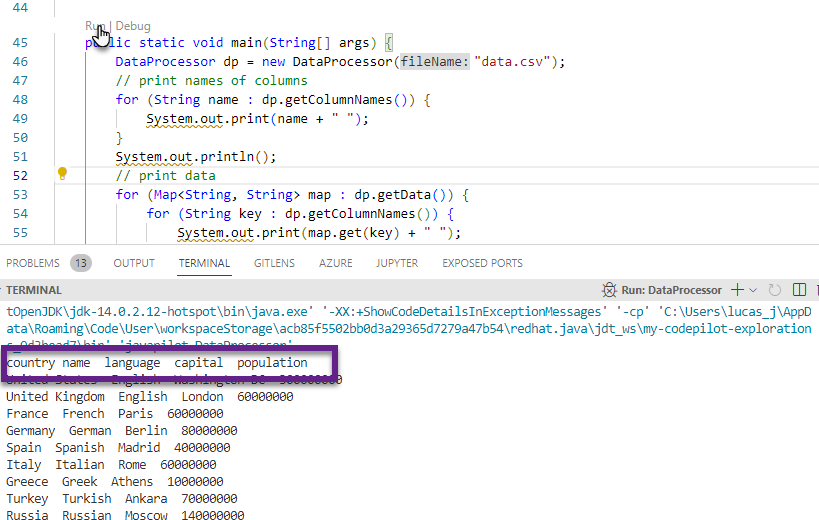
It would be nice to also have the names of the columns printed to the output. To make that happen:
- add a comment in method `main`, just before the `for` loop: `// print names of columns`
- press Ctrl+Enter
- accept first solution
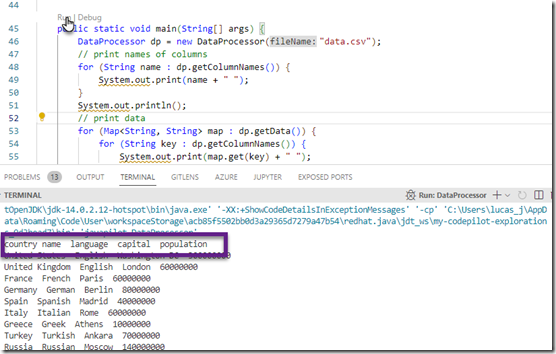
Run the Java class again. Now the column names are there as well.
Conclusion
with typing all of two suggestions after creating an empty Java file:
- // class for loading a csv file and storing data in a list of maps
- // print names of columns
and making use of Ctrl+Enter three times to get code fragments for the application I was able to compose a Java program that does what I set out to do. Not being a fluent Java programmer these days, I could have done this myself but it would have taken much longer (if only for all the typos I am apparently adding to any text or code I type) and probably resulted in far more frustration (with myself, with Java, with the IDE, with the world).
One additional comment in an empty csv file was required to produce a sample csv file with country records:
- // records for countries with comma separated values for country name, language, capital and population
after accepting the proposal from Copilot I had to do a little bit of refining the file in order to make it usable. In fairness, Copilot suggested a few ready to roll CSV files from GitHub.
Note: if you were to try the exact same steps that I went through, you still may get different results. Copilot is constantly evolving and suggestions can differ on that evoluti0n as well as the context in which it is used (and on factors that perhaps no one quite understands)
Appendix: Download CSV data from URL
Let's try to create a Java application that gets its CSV file from GitHub and does similar processing as done before.
- create an empty file called DataProcessor2.java
- add comment // class for downloading a csv file from GitHub and storing data in a list of maps
- press Ctrl+Enter
- select the third solution from the list that is presented in the GitHub Copilot tab that is opened
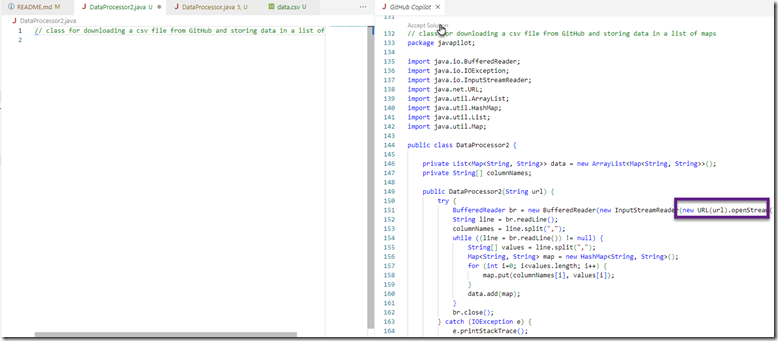
The final result is very much like the previous DataProcessor. There are three differences:
1. the input parameter to the constructor is called *url*
2. the InputStreamReader is creasted from a URL object

3. the value passed into the constructor should be a URL rather than a file location












No comments:
Post a Comment